CATalyst recreates the real CAT screen — timers, question palette, TITA, on-screen calculator — so the interface is muscle memory long before you sit the actual test.
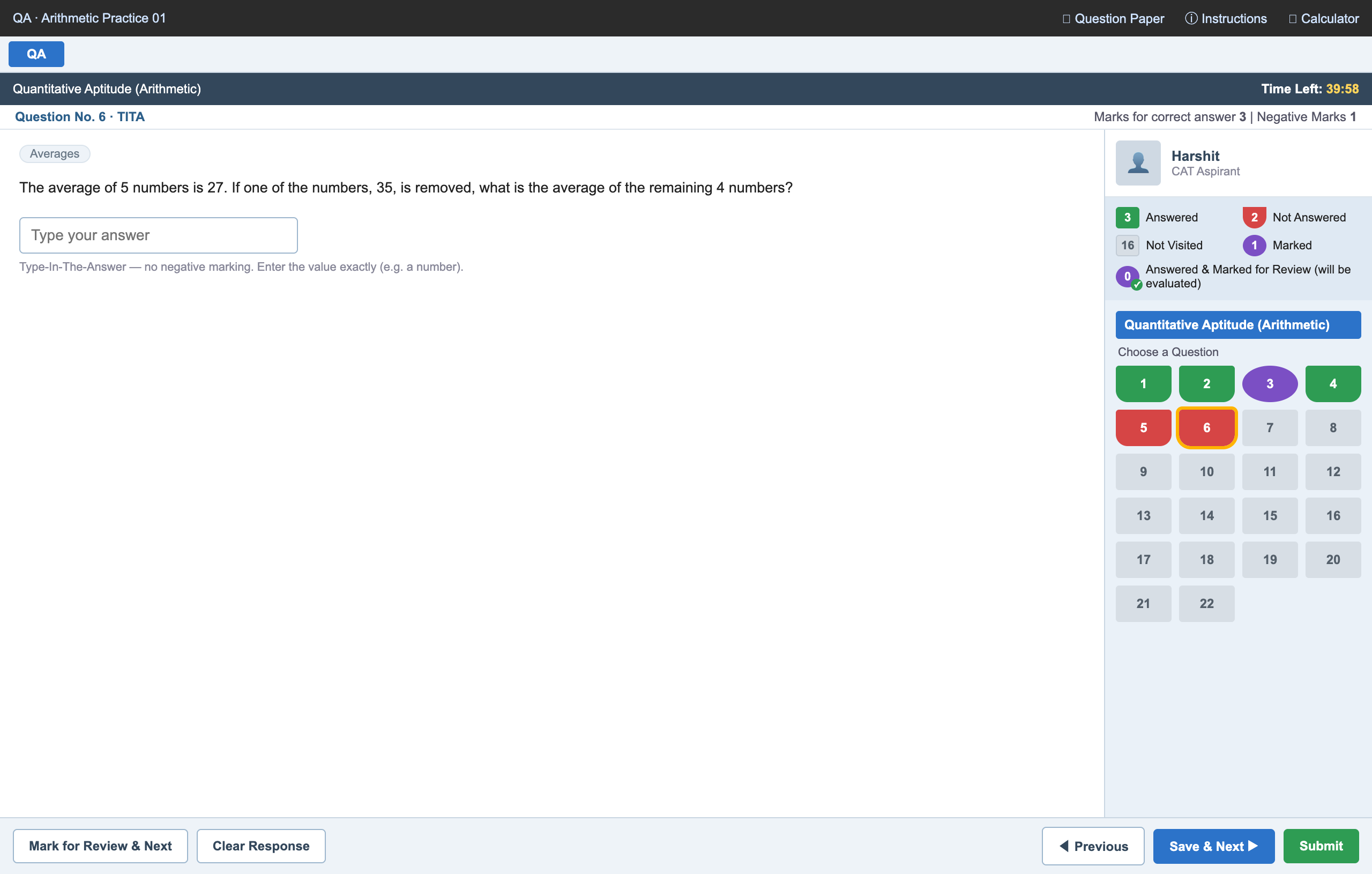
Down to the small details that build exam-day muscle memory — nothing simulated away.
40 minutes per section that auto-advances when time ends — and no going back, exactly like CAT.
The right-side grid with all five states: answered, not answered, not visited, marked, and answered-and-marked.
Both question types — multiple choice with −1 negative marking, and Type-In-The-Answer with none.
The same draggable basic calculator CAT provides — practise with the exact tool you'll have.
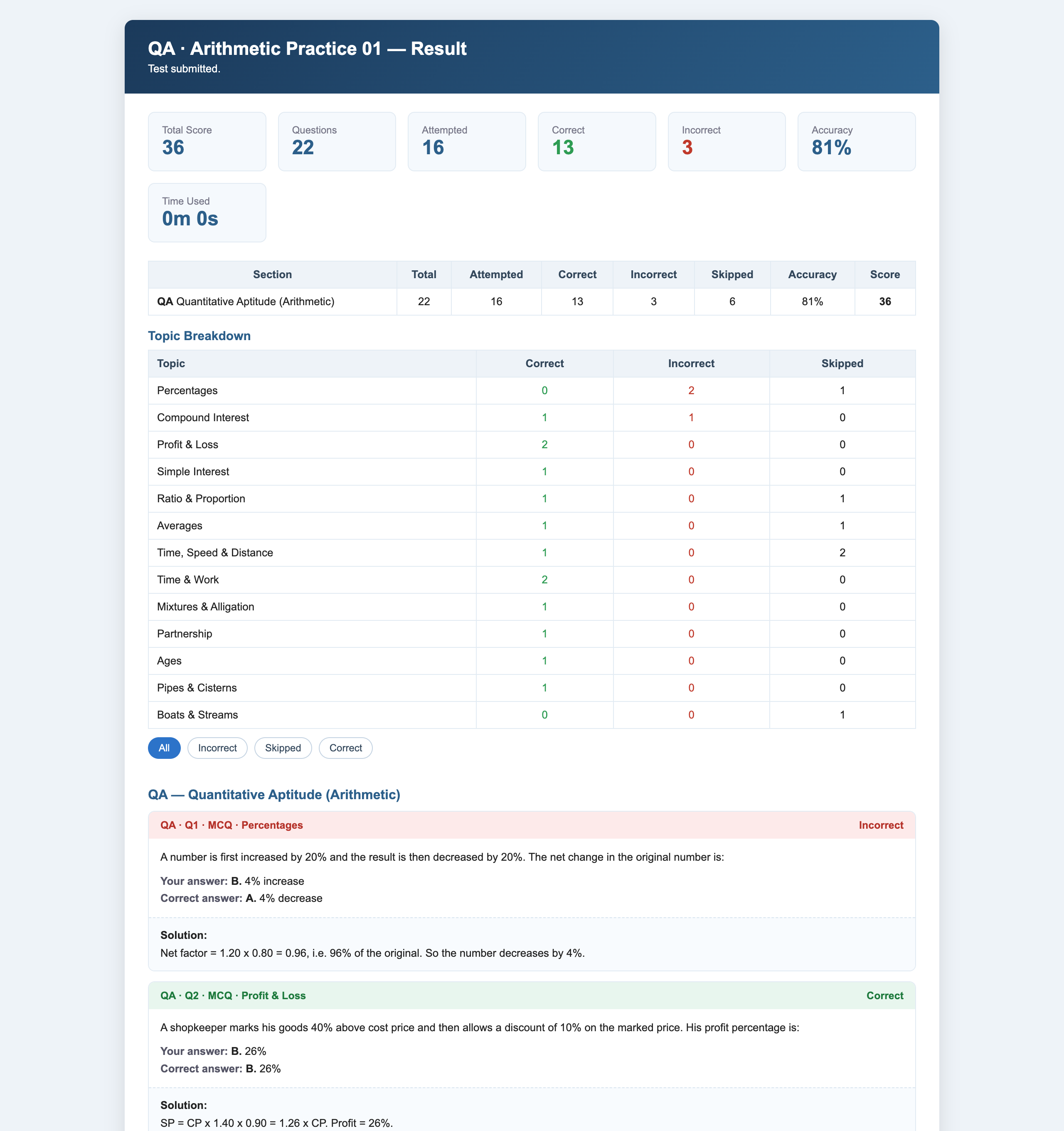
Submit and immediately see your score, accuracy, and a full worked solution for every question.
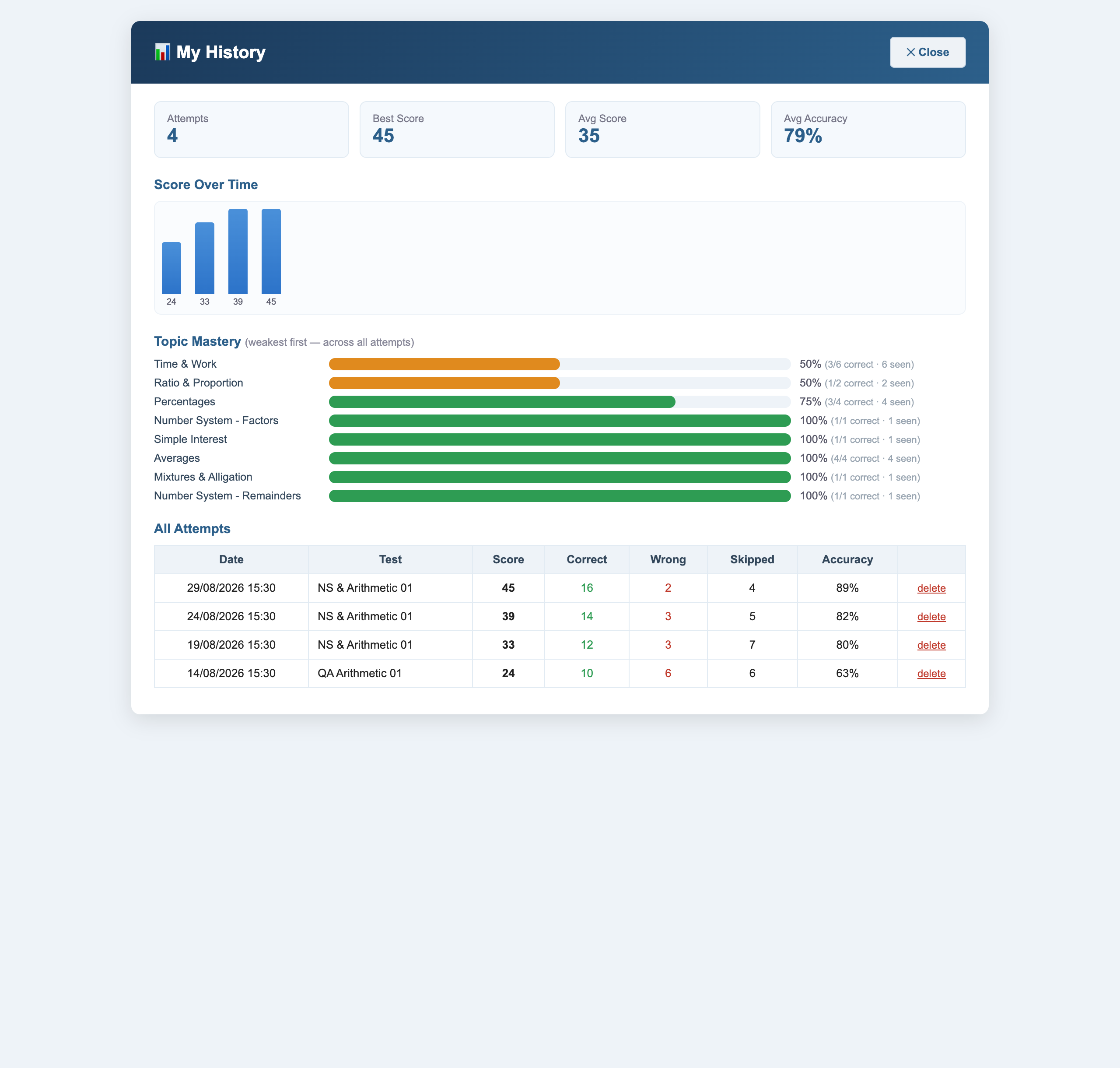
See exactly which topics are weak, and watch your score trend climb across every attempt.
Copy a prompt into any AI to produce a full, verified paper for any topic or section — then load it.
Browse, load, and share community-made papers — a growing bank you never run out of.
Read on the right, track on the palette, manage the clock — laid out just like the real screen, down to the pixel.
No waiting for a mentor. Score, accuracy, section and topic breakdown, and a worked solution for every single question.
Sign in and every attempt is saved. A score-over-time chart and topic mastery, ranked weakest-first, so you always know what to drill next.
Stop practising on paper for a test you'll take on a screen. Sit your next mock the way you'll sit the real one.
Launch the simulatorAsk any AI with the built-in prompt, pick one from the public library, or try the demo. You get a .json file.
Drag it into the simulator — or click the file in the library and it opens straight into the real CAT screen.
Solve under real conditions — clock running, palette live, calculator ready. Exactly like the exam hall.
Get an instant score with solutions and topic analytics. Sign in to save it and track your trend.
No question bank to buy. Copy a prompt into Claude, ChatGPT, or Gemini — it researches the real CAT pattern, picks difficulty and topics, and matches the exact file format.
.json and load it.Soon you won't copy a prompt or touch a file at all — the AI lives inside CATalyst and builds your test for you, then loads it straight onto the exam screen.
 CATalyst